onword
Help- 1Add slides
- 2Check points
- 3Get ready
- 4Present
- 5Recap
Talk, and your slides follow
Add your slides. While you present, Onword listens, checks off what you've said, and moves to the next slide when you're done.
Drop your slides here
PowerPoint, PDF or slide pictures, from Canva, Google Slides or Keynote too. Or click to choose.
Your decks
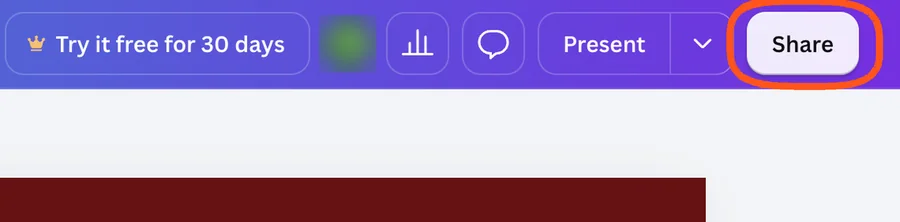 In your Canva design, press Share at the top right.
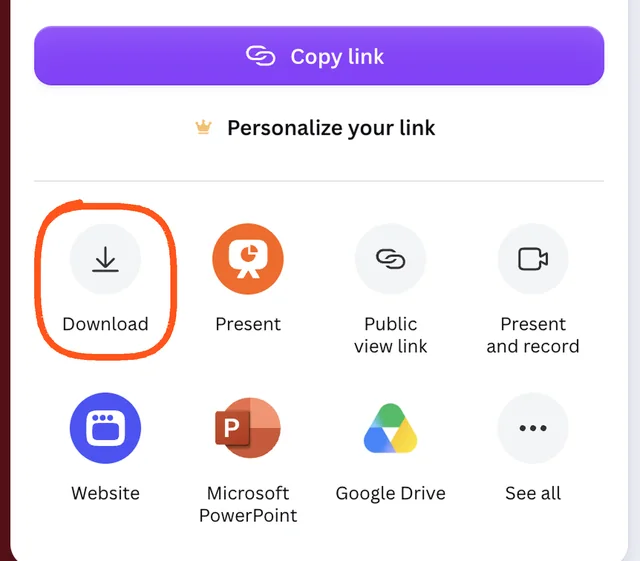 Press Download.
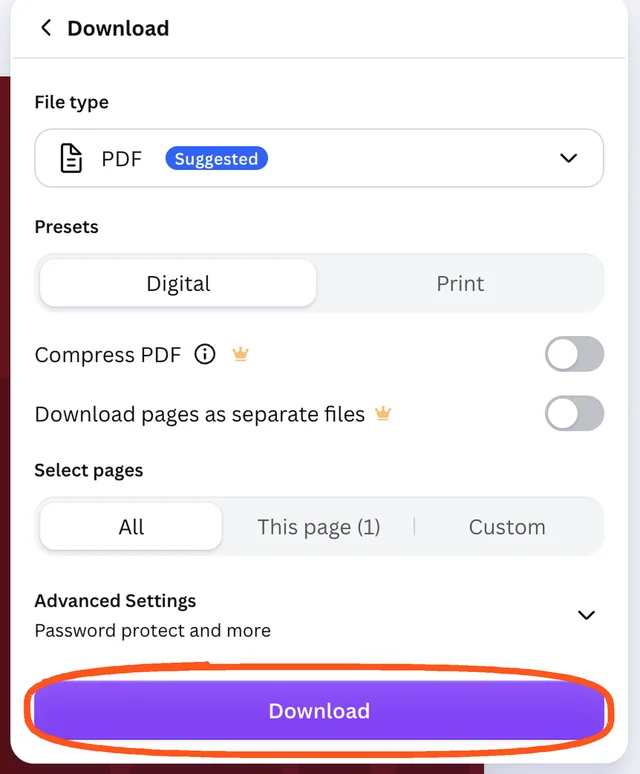 Keep PDF and press Download. Then drop the PDF here.
About animations: Canva's downloads don't include its animations. Here, your slides use the app's own transitions, and you can pick one on the Get ready screen. Want Canva's own animations? Present inside Canva with our free Chrome extension.
Wrote notes in Canva? Press Microsoft PowerPoint in step 2 instead, and your notes come in as points. Pictures work too: drop a .zip of PNGs, or all the pictures at once.
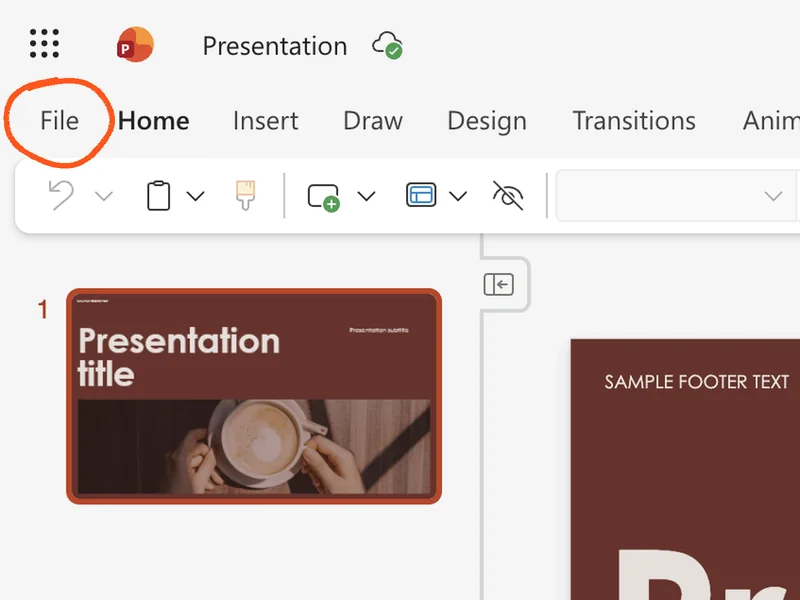 In PowerPoint online, press File at the top left.
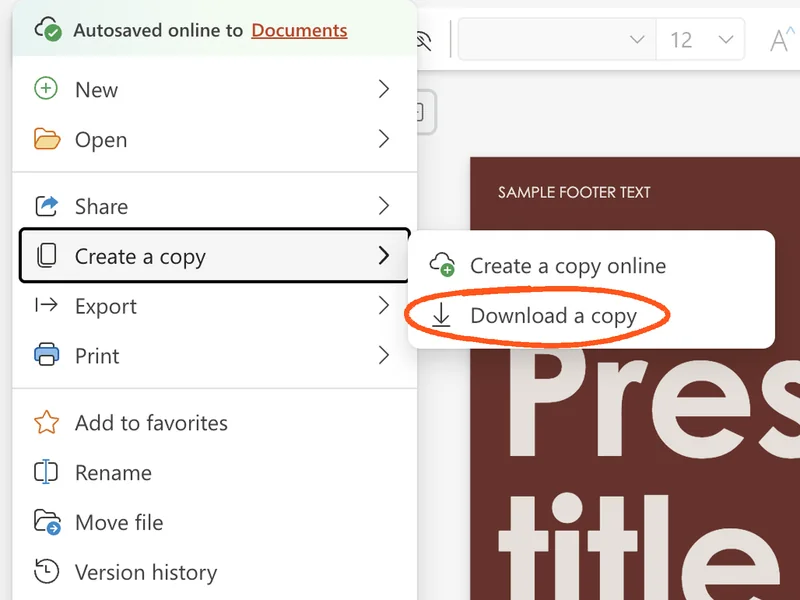 Press Create a copy, then Download a copy.
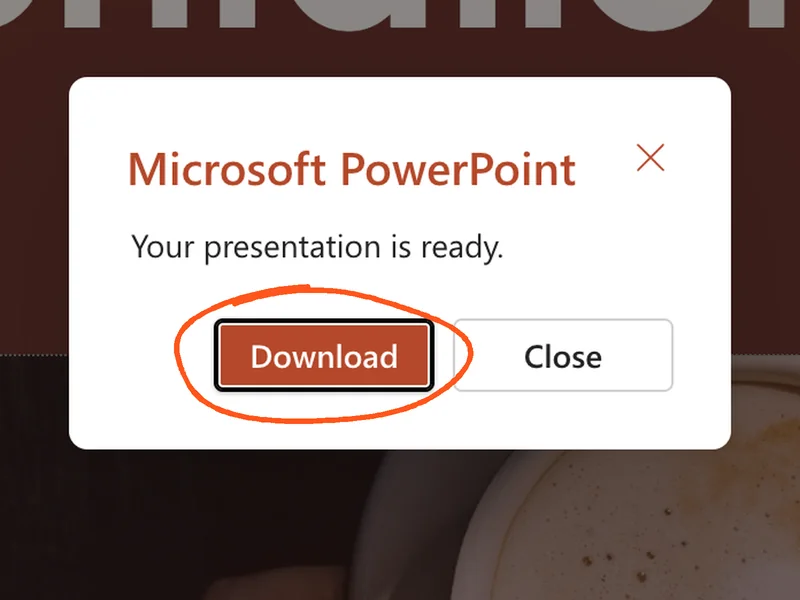 Press Download. Then drop the file here.
Your design, animations, transitions and speaker notes all come with it. A PDF works too (Export, then Download as PDF in step 2), but without your notes or animations.
PowerPoint on your computer? Just drop your .pptx file here. An old .ppt file? Open it in PowerPoint and use File, then Save As, then PowerPoint Presentation (.pptx).
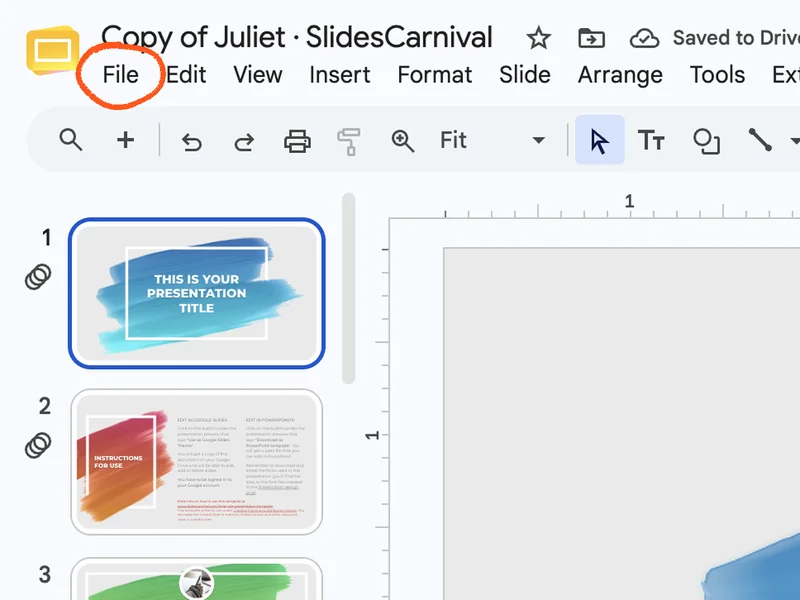 In Google Slides, press File at the top left.
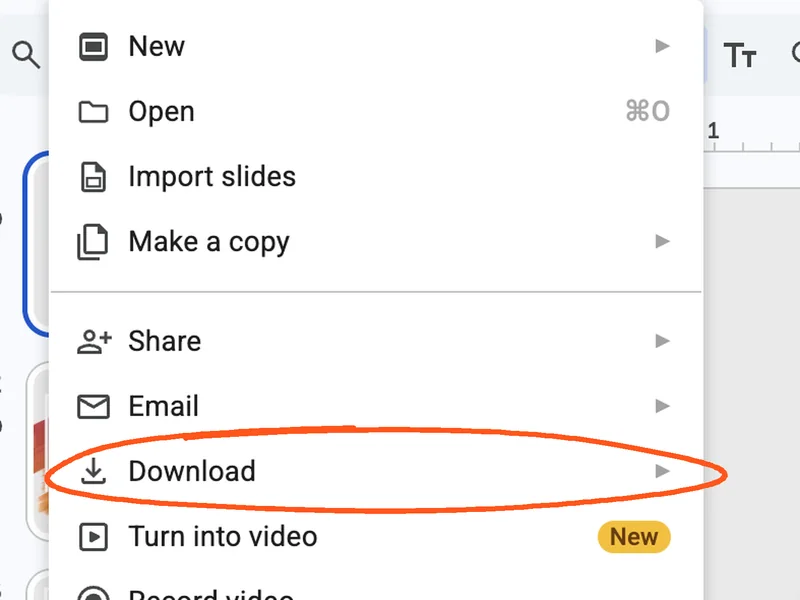 Press Download.
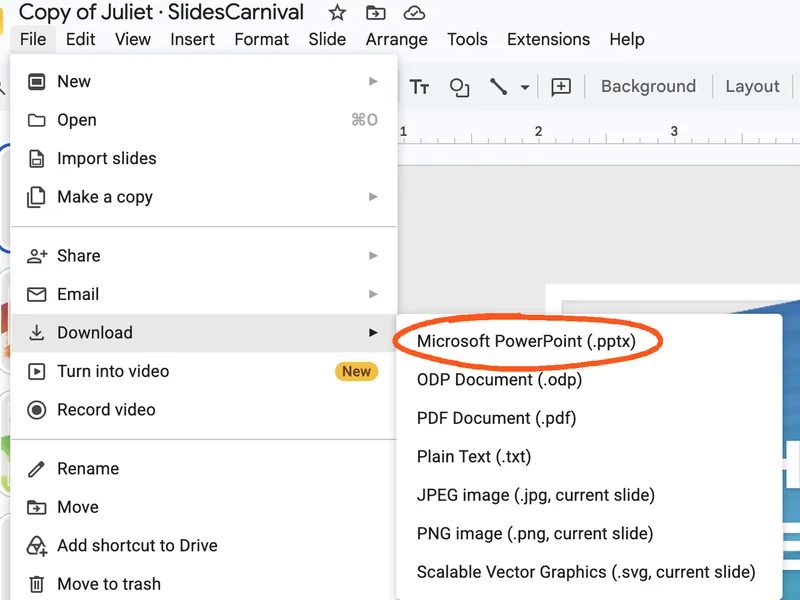 Choose Microsoft PowerPoint (.pptx). Then drop the file here.
Your speaker notes become your points, and most animations come along. PDF Document works too, but without your notes or animations.
- In Keynote, choose File in the menu bar at the top of the screen, then Export To, then PowerPoint, then press Next.
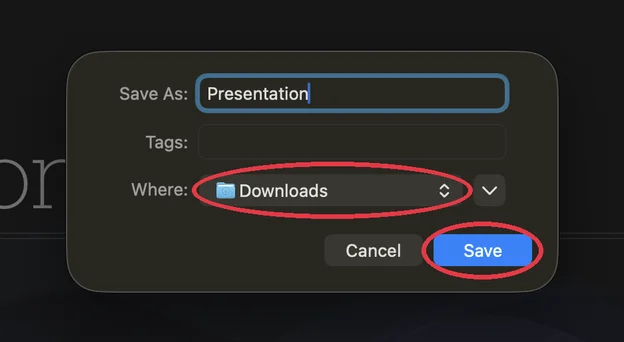 Pick Downloads and press Save. Then drop the .pptx here. Your presenter notes become points, and most builds come along.
For Keynote's exact look without builds, choose Export To, then PDF instead.
Here's what you'll cover on each slide
I pulled these points from your slides. It moves on once you've said them all. Change them to match what you'll really say.
Quick check before you start
Make sure it can hear you. Then practice on your own or present for real.
Microphone
Press the button, allow the microphone, and say "hello, can you hear me?"
AI listener
Getting ready…
Say "next slide", "go back", or "wait" any time. Arrow keys and clickers work too.
Nice work
| Slide | Who | Time | Speed | Points | Didn't mention |
|---|